Claude dynamic workflows: orchestration that lives in code
A dynamic workflow is a JavaScript script Claude writes that orchestrates subagents at scale. The key shift: the plan lives in code, not in a context window.
// key takeaways
- ›A dynamic workflow is a JavaScript script Claude writes for your task, executed by a runtime in the background.
- ›The plan moves out of the context window and into code — Claude's context holds only the final answer.
- ›Requires Claude Code v2.1.154+; supports up to 16 concurrent and ~1,000 total subagents per run.
- ›It's the top of the coordination ladder: skills → subagents → agent teams → workflows.
- ›Use it when the difficulty is coordinating work, not producing an answer — small linear tasks are cheaper as a plain prompt.
On this page
The short answer
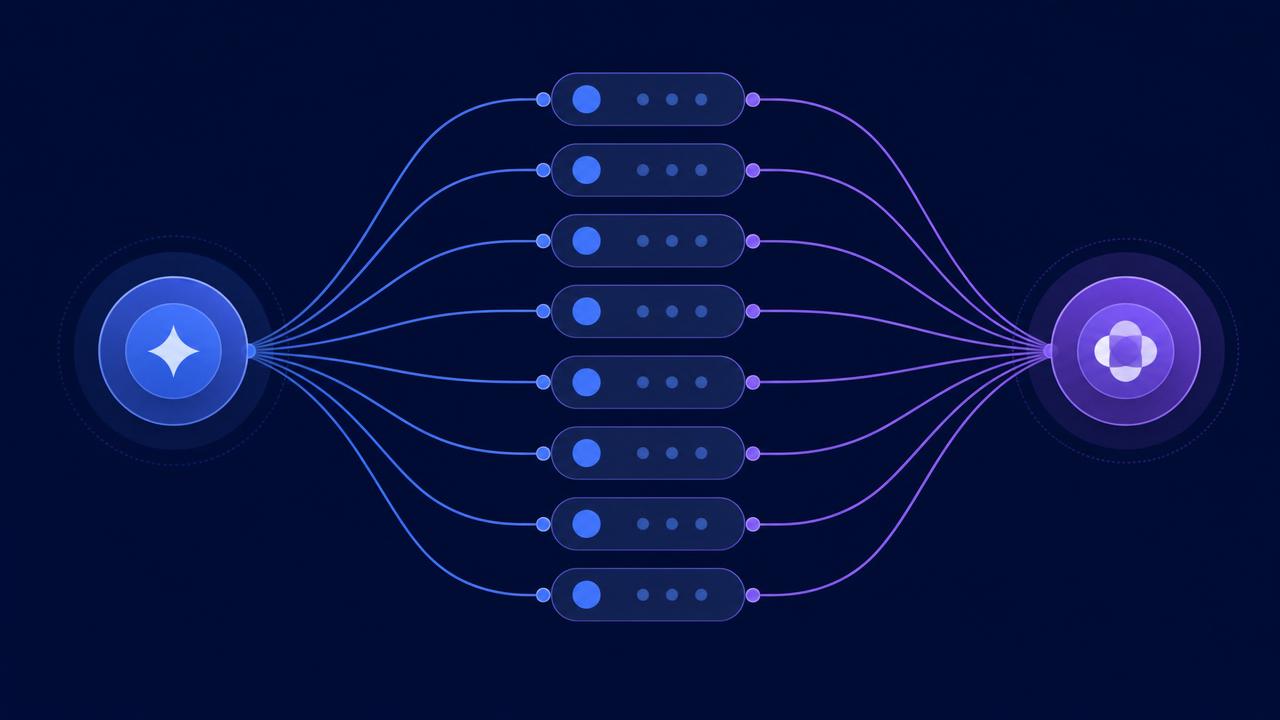
Dynamic workflows (Claude Code docs, introduced in v2.1.154, May 2026) are the structured way to orchestrate subagents at scale. Instead of Claude deciding turn-by-turn what to spawn, a dynamic workflow is a JavaScript script Claude writes for your task — and a separate runtime executes that script in the background while your session stays responsive.
The single most important idea: dynamic workflows move the plan out of the context window and into code.
Where the plan lives
With skills, subagents, and agent teams, Claude is the orchestrator: it decides turn-by-turn what to do next, and every result lands back in a context window. That works, but shared context becomes the bottleneck.
A workflow breaks that pattern. The generated script holds the loops, branching, and intermediate results itself. Each subagent runs in its own context window, and only the outputs needed by later stages — or the final answer — are surfaced back to Claude.
That's why workflows scale: the orchestration is a program, not a conversation.
The coordination ladder
Understand workflows as the top of a progression, not the default:
- Just ask — a single prompt, when the task fits one window.
- Skill — reusable expertise and procedures.
- Subagent — delegate a bounded, isolated investigation.
- Agent team — a lead agent supervises parallel peers over a longer horizon.
- Workflow — the coordination pattern itself is codified as a repeatable script.
Each step up adds overhead, tokens, and complexity. Reach for exactly as much as the task needs. A workflow becomes worthwhile when the difficulty lies in coordinating the work — not merely producing an answer.
How one runs
- Trigger by mentioning "workflow" in a prompt, or via
/effortultracode when Claude decides the task is large enough. - Claude generates a JavaScript script describing phases, what can run in parallel, verification points, and how results combine.
- An approval card shows the planned phases and estimates token usage; you can inspect the raw script before running.
- The runtime executes it in the background, spawning subagents. Up to 16 concurrent agents and around 1,000 total per run.
- The script can't touch files, shells, or tools directly — it coordinates subagents that do that work on its behalf.
Six recurring patterns
Most workflows are built from a small set of coordination patterns:
- Classify and act — a lightweight agent routes each item to the right specialized handler.
- Fan out and synthesize — split work into parallel pieces, then a synthesis phase combines results.
- Adversarial verification — one set of agents produces, another challenges against a rubric.
- Generate and filter — produce many candidates, then evaluate and narrow.
- Tournament — candidates compete via pairwise comparison.
- Loop until done — repeat until a real stopping condition, not a fixed count.
The value of adversarial verification is worth calling out: an independent verifier catches the self-preferential bias that a single agent reviewing its own work can't.
The costs and caveats
After a full example, the article and docs are blunt about expense. One research workflow spawned 27 agents, ~807,000 subagent tokens across 463 tool calls, in ~25 minutes — roughly $5 in subagent costs on one model tier. The approval card's token warning exists for a reason.
Three more caveats:
- Sources are retrieved, not curated — the workflow analyzes only what it finds.
- Structured output improves reliability, not correctness — a schema reduces drift but doesn't guarantee a paper was interpreted correctly.
- The result is a snapshot — a rerun may find different sources and reach different conclusions.
It also pairs cleanly with other tools: a workflow is the process, /goal is the completion criterion, and /loop is the repetition mechanism.
Takeaway
A dynamic workflow is the highest-leverage orchestration primitive in Claude Code, and the mental shift is what matters: stop coordinating agents in conversation, and start coordinating them in code. Reach for it when the task is large, parallel, iterative, or adversarial. For small linear tasks, a well-scoped prompt is still the cheaper, simpler answer.
Primary sources: Claude Code docs — Orchestrate subagents at scale with dynamic workflows (v2.1.154, six patterns) and Anthropic's Introducing dynamic workflows. Version, concurrency caps, and pattern list verified against these on 2026-08-08.
// related
DeepSeek Harness vs Claude Code: the real advantage is replaceable parts
DeepSeek Harness is a developer-preview coding agent whose model, tools, sandbox, and loop are plugins. That makes it a useful experiment—not yet a drop-in Claude Code replacement.
Loop engineering: designing agents that iterate, verify, and remember
A Claude loop is a repeatable workflow around the model — trigger, context, action, verification, state, and decision. Here's how to build one that's safe, stateful, and worth scheduling.
Effort, plan mode, and /goal: the controls that actually matter
Reasoning effort, plan mode, and /goal solve different problems. Match the control to the task instead of defaulting to 'high effort' — these are the levers that separate prompt engineering from workflow engineering.