Cross-session messaging: let your Claude Code sessions talk to each other
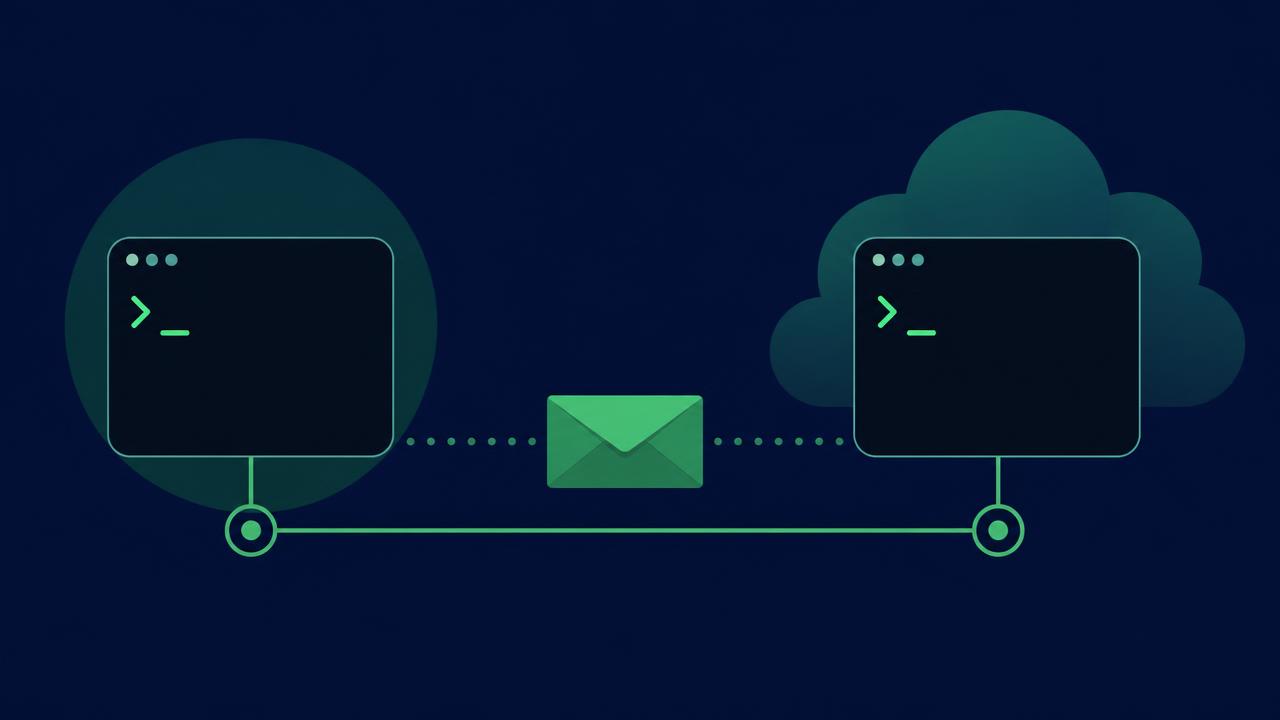
Cross-session messaging lets one Claude Code session deliver a message to another — same machine over a socket, or across machines via Remote Control. Here's how it works and when to use it.
// key takeaways
- ›Cross-session messaging lets one Claude Code session send a text message to another — never conversation history or files.
- ›Requires Claude Code v2.1.224+ on macOS or Linux; messaging is on by default when requirements are met.
- ›Same-machine messages travel over a per-session Unix socket; cross-machine messages go through Anthropic servers via Remote Control.
- ›Claude uses ListAgents to discover targets and SendMessage to deliver — you prompt the intent, Claude writes the message.
- ›Control the surface with crossSessionInbound (accept/hold/refuse) and isolatePeerMachines.
On this page
The short answer
Cross-session messaging lets Claude deliver a message from one of your Claude Code sessions to another. When a change in one session breaks what another is building, Claude can warn that session before you notice. When one session settles a question another is blocked on, Claude can send the answer across.
A message is a piece of text one Claude writes to another — never conversation history or files. To move a whole conversation or its context, resume the session instead.
It requires Claude Code v2.1.224 or later and runs on macOS and Linux. When a session meets the requirements, messaging is on with nothing to enable.
When to use it
Use messaging when one session has something another needs mid-task. Common cases:
- Hand over a finding — when one session discovers a breaking change or makes a decision, Claude summarizes it for the session on the affected area instead of you re-explaining it there.
- Coordinate parallel worktrees — sessions working the same repo in separate worktrees can tell each other what landed.
- Get status from long-running work — a migration or test run reports back to the session you're watching.
- Reply across machines — answer a message that arrived from one of your sessions on another machine or the web. Across machines, Claude can only reply; it can't start the exchange.
Claude Code has dedicated features for the other ways to reach multiple sessions: resume for continuing one conversation, agent teams for a supervised team, agent view to watch many sessions, and Remote Control to steer one yourself. Use the one built for what you're doing.
How it works
Claude uses two tools: ListAgents to discover which agents it can reach, and SendMessage to deliver a message by name. You never call either yourself — Claude discovers the target and writes the message. To prompt one yourself, tell Claude what you want the other session to know or do:
Ask the session running in my other terminal whether the migration finished
To see which sessions Claude can reach, run /list-agents. It lists subagents and your other local sessions (including background ones), and sessions beyond the machine (labeled Remote Control) when connected.
A session answers to the name you set with /rename or --name. Without one, Claude names it from its working directory (e.g. myapp-3f).
Delivery and trust
The receiving Claude reads the message between tool calls during an active turn, so a running tool is never interrupted. When the session is idle, Claude Code starts a new turn with the message.
Delivery ends in one of three outcomes, governed by the receiving session's crossSessionInbound setting:
- Delivered — Claude Code passes the message to the receiving Claude.
- Held — set aside undelivered until you approve or a later setting change allows it.
- Refused — dropped without delivery.
Tokens count like a prompt you type, and the receiving Claude can reply the same way (except in the one-way cross-machine case).
The trust model matters. Cross-session messages are treated as third-party input, not consent:
- A message can't approve anything — it never answers a pending permission prompt on your behalf.
- It can't change configuration — the receiving Claude is instructed never to change permission settings,
CLAUDE.md, or other config because another session asked. - Commands don't run — a
/compactin a message arrives as plain text, never executed. - Permission prompts still fire — acting on a message requires the same permissions as any other work.
Same-machine vs cross-machine
| Where the other session runs | How it travels | What Claude here can send |
|---|---|---|
| This machine | Per-session socket, never through Anthropic servers | New messages and replies |
| Another of your machines | Through Anthropic servers, via Remote Control | Replies only |
| Claude Code on the web | Through Anthropic servers, straight to the cloud session | Replies only |
Same-machine delivery needs both sessions to see the same filesystem, so sessions in a container and on the host can't reach each other (two sessions in the same container can).
Control the surface
crossSessionInbound—accept,hold, orrefuseinbound messages.isolatePeerMachines: true— require your approval before any message leaves the machine.- To stop sending/listening entirely, add permission deny rules for
SendMessageandListAgents.
The default behavior depends on both sessions' permission modes. A session that bypasses permission prompts treats a message from a non-bypassing session differently than one from another bypassing session. When the default holds a message, Claude Code opens an approval dialog showing the sender and a preview.
Takeaway
Cross-session messaging is the answer when your Claude Code sessions need to coordinate but shouldn't share full context. It's cheap (a text message, not a conversation), local-first on one machine, and deliberately sandboxed — incoming messages can't approve, reconfigure, or run commands. The productive habit: keep separate sessions for separate work, let Claude summarize across the boundary, and use crossSessionInbound + isolatePeerMachines to set the trust boundary you're comfortable with.
Primary source: Message your other Claude Code sessions (Claude Code docs). Version requirement (v2.1.224+), delivery, trust, and settings behavior verified against the official docs on 2026-08-08.
// related

Use /skill-doctor to trim Claude Code skill context safely
A practical, reversible workflow for using Claude Code's /skill-doctor report to find unused skill listings, reduce context overhead, and keep the skills that earn their place.
DeepSeek Harness vs Claude Code: the real advantage is replaceable parts
DeepSeek Harness is a developer-preview coding agent whose model, tools, sandbox, and loop are plugins. That makes it a useful experiment—not yet a drop-in Claude Code replacement.

Claude Code /design: prototype the interface before you build it
The /design preview changes the first step of a UI task from coding to exploring visual directions. Here is a cautious workflow for evaluating the output before implementation.